![Halda Logo Black Tight-2.svg]](https://info.halda.io/hubfs/Halda%20Logo%20Black%20Tight-2.svg)
What CRMs does it work with?
Halda currently integrates AI Student Recruiter Emails with Slate and Salesforce.
How many connections can it have?
We currently support a connection to a single instance of Slate or one Salesforce Production environment.
How long does it take to set up?
Set up time will vary depending on your CRM. From start to finish, the Slate setup takes about 45 minutes. Salesforce setup typically takes 10-20 minutes.
How do I know it is working?
For Slate: Emails sent will be visible in a record’s timeline activity in Slate. The query built via suitcase will report on the number of records that have received an email. You will be able to see the information from this query reported in your AI Email dashboard in the Halda app.
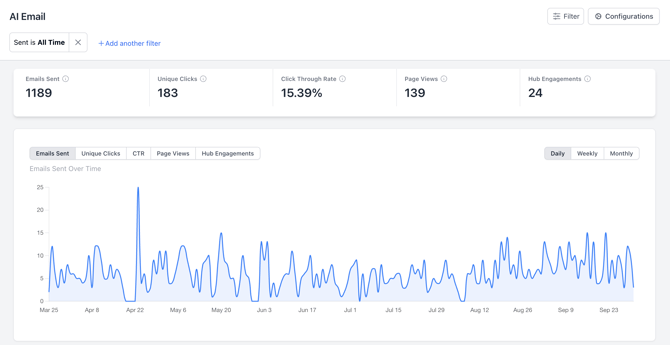
For both Slate and Salesforce systems, an email date, summary, and transcript will be sent to the system and tied to the student record.
Can I preview and configure the content of my emails?
Yes. You can preview examples of the type of content being sent and configure updates to that content as needed. Learn more about how you can utilize email prompting here:
How do I preview example email content?
You can preview example email content in the Email section of AI Student Recruiter in your Halda account. In this section, you can view an example of email content and give additional instructions to guide how emails are generated. If you do not have access to this section, contact your Account Manager to have access granted.
For additional questions, contact your Halda Account Manager.
For additional questions, contact your Halda Account Manager.